
What Is IPTV? A Simple Guide to How It Works
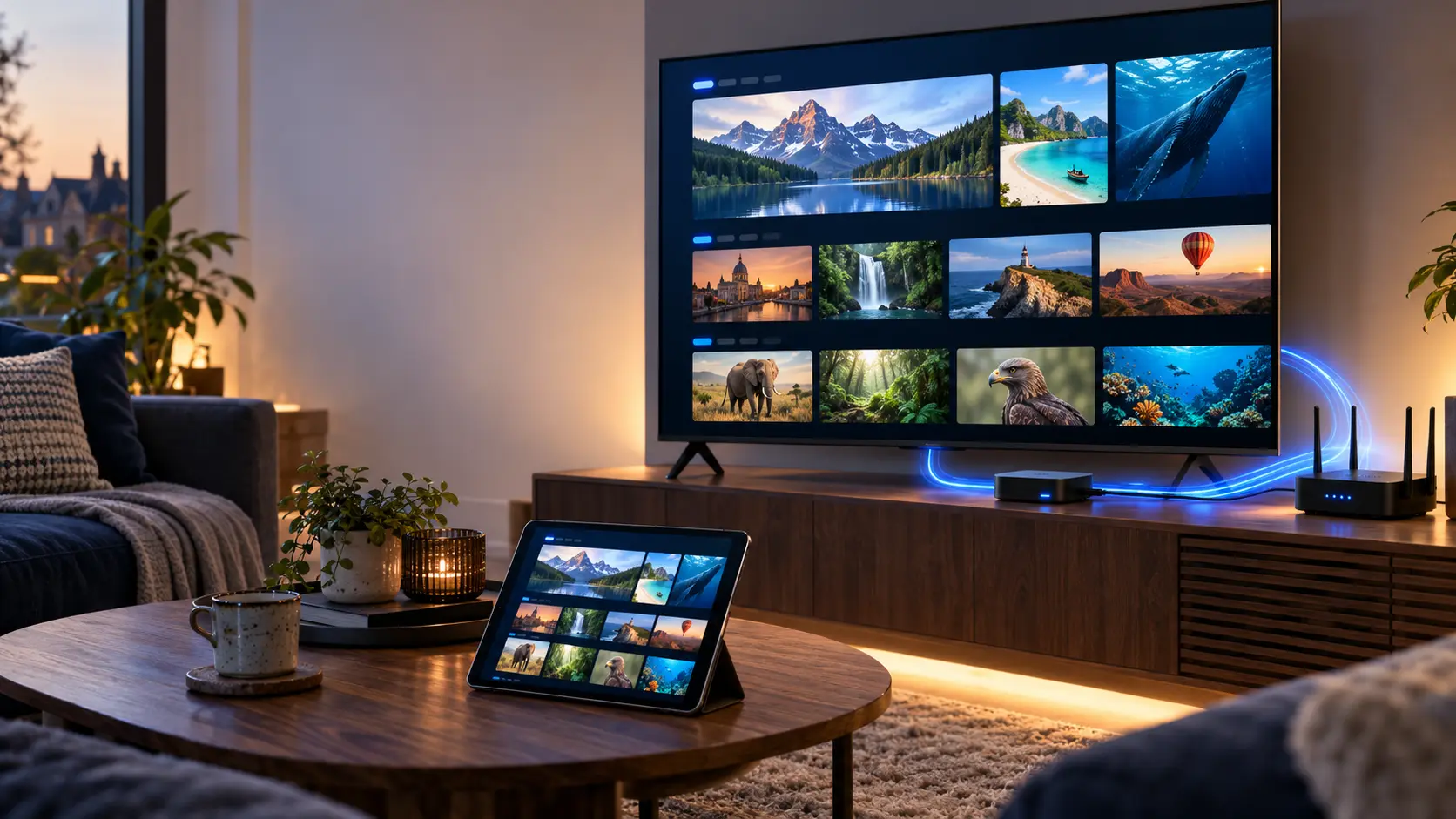
IPTV lets you watch television through an internet-based network. Instead of relying only on an aerial or satellite dish, video reaches your device using internet technology.
This guide explains the basics, the equipment you need, common IPTV features and the legal considerations for viewers in the UK.
What Does IPTV Mean?
IPTV is short for Internet Protocol Television. Internet Protocol, or IP, is a set of rules that helps devices exchange information across computer networks.
Traditional television often reaches homes through an aerial, satellite dish or cable system. IPTV uses IP-based delivery instead.
For example, a viewer might open a television app, select an available channel and start watching. The service delivers the video through a network to the viewer's device.
Is IPTV the Same as Internet Streaming?
The terms overlap, but they are not always identical. IPTV can refer to managed television services delivered over IP networks.
Meanwhile, over-the-top streaming services deliver video through the open internet. In everyday conversation, people often use IPTV more broadly for internet TV.
Why Does This Difference Matter?
Different delivery systems can have different network controls, devices and playback features. Therefore, it is worth checking how a particular service operates.
How Does IPTV Work?
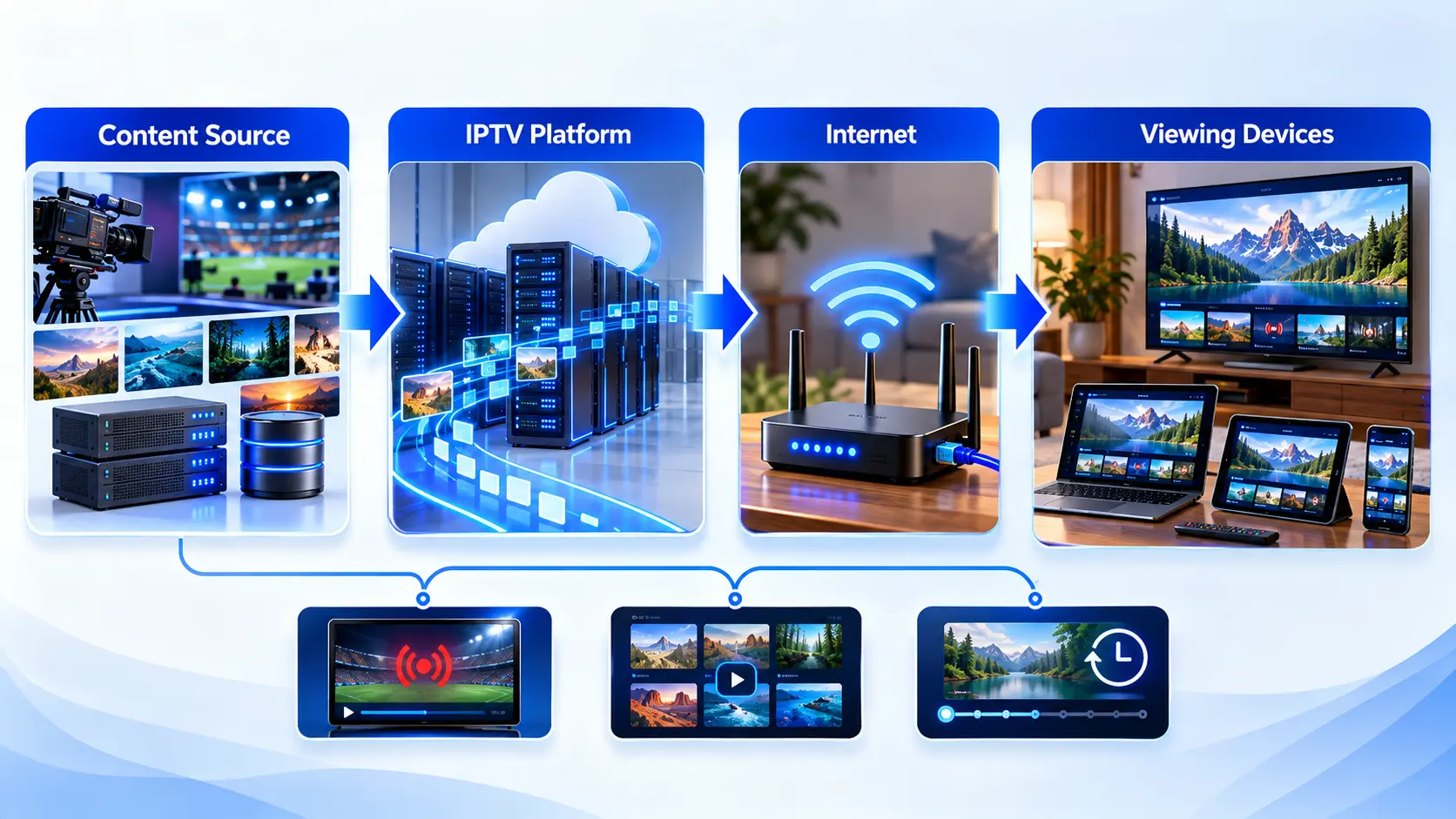
The basic idea is simple. Video travels through an IP-based network to a device that can play it.
Content Is Prepared
An authorised provider obtains video content and prepares it for digital delivery. Video may be encoded into suitable formats.
The Network Delivers It
Servers and network infrastructure deliver the video data. The exact method depends on the platform and delivery system.
Your Device Plays It
A compatible television, app or streaming device receives the video. The player then decodes and displays it.
Does IPTV Always Use Wi-Fi?
No. Wi-Fi is one way to connect your device. Ethernet can also work. In fact, a wired connection may offer better stability when wireless signals are weak or congested.
What Are the Main Types of IPTV?
IPTV can support different viewing styles. However, not every service offers all of these features.
Live Television
Live IPTV follows a scheduled channel. You watch programmes as they are transmitted.
It works much like traditional live television, but the delivery uses an IP network.
Video on Demand
Video on Demand, often called VOD, lets you select available content when you want it.
For example, you may choose a film from a licensed on-demand library.
Catch-Up and Time-Shifted TV
Some services let viewers watch programmes after their original broadcast time.
Availability depends on the service, content rights and supported features.
IPTV vs Satellite, Cable and Aerial TV
The main difference is how television reaches your home. Each delivery method has its own requirements.
| Feature | IPTV | Traditional TV |
|---|---|---|
| Delivery | IP-based network | Aerial, satellite or cable |
| Equipment | Compatible app, receiver or TV | Suitable tuner, receiver or set-top box |
| Broadband | Commonly required for internet IPTV | Not required for basic aerial or satellite reception |
| On-demand content | May be included | Depends on platform and connected services |
| Playback quality | Depends on source, network and device | Depends on signal, equipment and source |
| Portability | Depends on service and device restrictions | Depends on the television platform |
Important: IPTV is not automatically better than satellite or aerial television. The right choice depends on your connection, viewing habits and service availability.
Which Devices Support IPTV?
Many modern devices can play internet video. However, app availability differs between models and operating systems.
Smart TVs
Some Samsung, LG and Android-based TVs support compatible media players.
Streaming Devices
Fire TV devices, Android TV boxes and Google TV devices may support IPTV apps.
Phones and Tablets
Android phones, iPhones and iPads can use supported video player apps.
Windows Computers
A compatible desktop player may support authorised internet streams.
Mac Computers
Mac users can explore supported media applications and playback formats.
Set-Top Boxes
Some dedicated television receivers support IP-based delivery systems.
What Is an IPTV Player?
An IPTV player is an application that displays and plays compatible television streams.
A player and a content subscription are not the same thing. Installing an app does not automatically give you access to television channels.
Common IPTV Player Apps
Depending on the device, users may encounter TiviMate, IPTV Smarters Pro, IBO Player, Hot Player and XCIPTV Player.
These applications have different interfaces, supported formats and device requirements.
Which Player Should You Choose?
Start with your device model. Next, check the app's official compatibility information. Finally, use only authorised content sources.
What Internet Speed Does IPTV Need?
IPTV performance depends on video quality, compression, network conditions and the number of devices using your connection.
As a practical planning guide, lower-resolution streams generally use less bandwidth than 4K video.
For example, a household streaming in 4K may want around 25–35 Mbps available per stream as a conservative planning range.
However, that is not a universal minimum. Some streams need less bandwidth, while others need more.
What Are the Benefits and Limitations of IPTV?
IPTV offers useful viewing options. Still, it has practical limitations worth understanding.
Potential Benefits
- Live and on-demand viewing options.
- Compatibility with various devices.
- Programme guides on supported platforms.
- Catch-up features on some services.
- Convenient access through connected devices.
Possible Limitations
Playback can suffer when the connection is unstable.
Also, not every app works on every device. Some features require separate permissions or support.
Finally, service quality, availability and content rights differ between providers.
Is IPTV Legal in the UK?
IPTV technology itself is legal in the United Kingdom. However, the legality of a particular service depends on how it obtains and distributes content.
A provider needs the appropriate rights to offer protected television programmes, films and other content. Without permission, distributing or accessing unauthorised streams can create legal risks.
How Can You Check a Service?
Look for clear company information, transparent terms and credible evidence of content rights.
Be cautious of unrealistic promises, especially offers that claim access to every premium service for very little money.
Official UK Guidance
For further information, read Ofcom's IPTV guidance and the UK government's guidance on illicit streaming devices .
Remember: A streaming app, M3U playlist or Xtream Codes login is only a technical way to access content. None of these automatically establishes legal permission.
What Do You Need to Start Using IPTV?
You do not need complicated equipment for every IPTV service. However, the exact setup depends on the platform you choose.
Start with a compatible device and a stable network connection. Then check which app or receiver the service supports.
Finally, make sure you have authorised access to the content you want.
Frequently Asked Questions About IPTV
Here are clear answers to questions beginners often ask.
What is IPTV in simple terms?
IPTV means television delivered through an IP-based network. It can include live channels, on-demand video and catch-up features.
Does IPTV require an internet connection?
Most consumer internet IPTV services require broadband or another suitable network connection. Requirements depend on the delivery system.
Can I watch IPTV on a Smart TV?
Many Smart TVs support internet television applications. However, you should check your TV model, operating system and app compatibility.
Is IPTV the same as Netflix?
Not exactly. Netflix is an on-demand streaming service. IPTV is a broader television delivery concept. Both use internet technologies, but their service models may differ.
What is the difference between IPTV and an IPTV player?
IPTV describes a way of delivering television and video. An IPTV player is software that plays compatible streams. The player does not necessarily provide content.
Does IPTV support 4K?
Some services and devices support 4K playback. However, the source, screen, application and connection must all support the required quality.
Can IPTV work without a satellite dish?
Yes. IPTV uses IP-based delivery. Therefore, a satellite dish is not normally required for receiving IPTV over broadband.
Is IPTV legal in the UK?
IPTV technology is legal. However, services must have the necessary rights to distribute protected content. Unauthorised streaming can be unlawful.
Why does IPTV sometimes buffer?
Buffering may result from network congestion, unstable Wi-Fi, device performance or a problem with the video source. Testing each factor helps identify the cause.
Helpful IPTV Guides for Beginners
Now that you understand the basics, explore the next topic that interests you.
Is IPTV Right for You?
IPTV is one way to watch television through modern network technology. It can support live programmes, on-demand video and different devices.
However, a good viewing experience depends on more than the technology. You also need a suitable connection, compatible equipment and a legitimate content provider.
If you are new to IPTV, start by understanding the player you need. Then follow a device-specific installation guide.
Ready to Learn More About IPTV?
Explore our beginner-friendly guides to IPTV apps, device setup and streaming troubleshooting. Take your time and choose the information you need.